Interactive ER diagrams
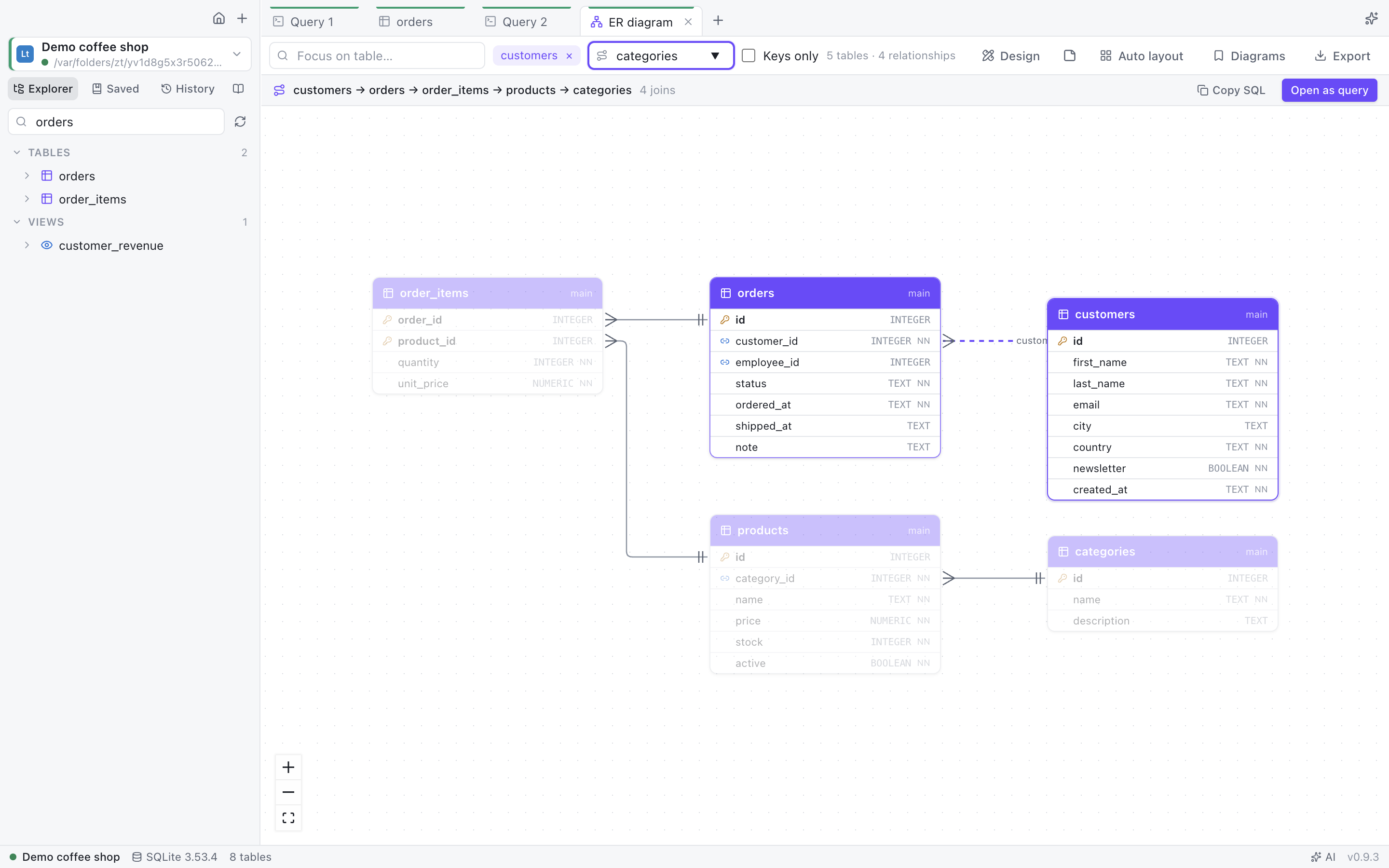
Automatic layout, crow's-foot notation, focus on a table and its neighbours, saved subject-area diagrams, and the join path between any two tables as ready SQL.
 DB Mastermind
Browse and filter data without limits, draw and redesign your schema with generated migrations, and ask an AI that knows your database. Free and open source, nothing to install on Windows.
scoop install https://github.com/eLh0m3r0/db-mastermind/releases/latest/download/db-mastermind.jsonbrew tap elh0m3r0/db-mastermind https://github.com/eLh0m3r0/db-mastermind && brew install --cask db-mastermind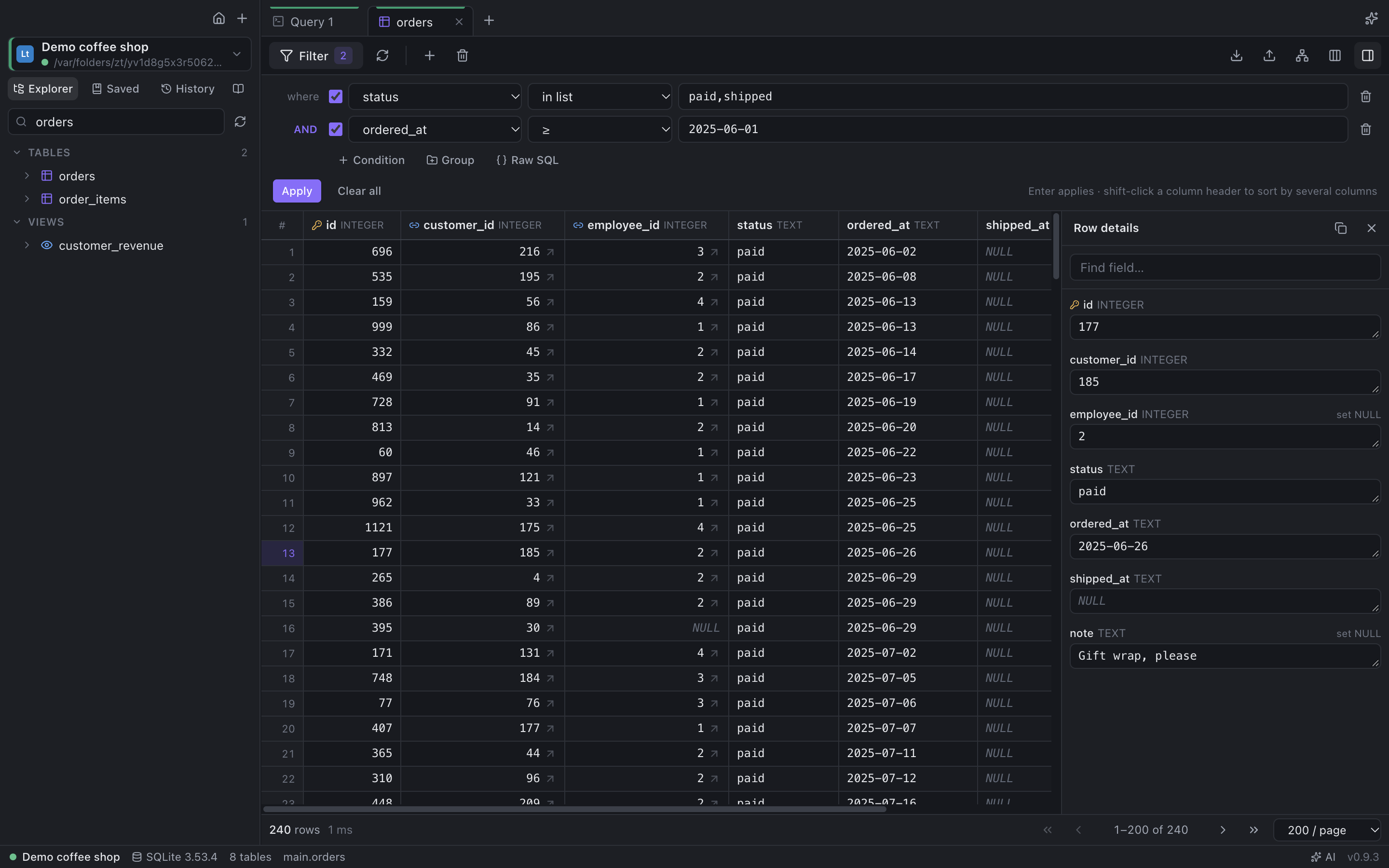
No row limits, no paywalled features. English and Czech UI.
Nested AND/OR groups, 25+ operators (in list, between, regex, last N days, this month), raw WHERE, or describe the filter in plain words.
Schema-aware autocomplete that writes whole JOINs from foreign keys, snippets, parameters, execution plans, history and saved queries.
Drop a CSV, Parquet, JSON or Excel file on the window and query it with SQL. Czech exports with decimal commas just work.
Chart any result in one click and pin it to a dashboard that refreshes itself.
Schemas between environments with the migration for the target, and table data with a sync script.
Running queries and lock waits, cancel or end sessions, users & roles with their privileges.
SSH tunnels, SSL, read-only and production guard rails, SQL Server Windows authentication, Oracle without Instant Client.
Export connections without passwords, a data dictionary as one HTML page, and a Markdown knowledge base in Git.
Automatic layout, crow's-foot notation, focus on a table and its neighbours, saved subject-area diagrams, and the join path between any two tables as ready SQL.
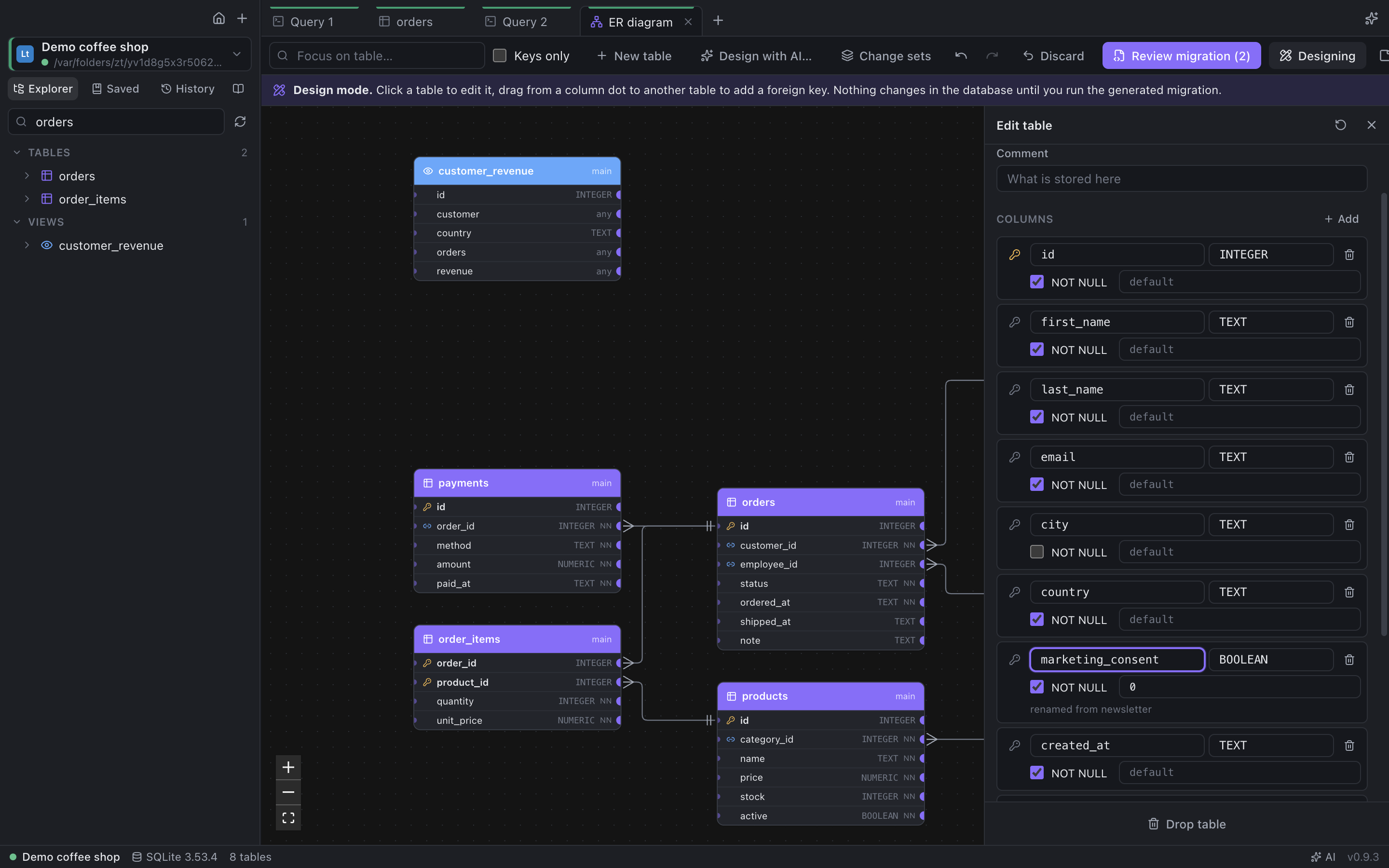
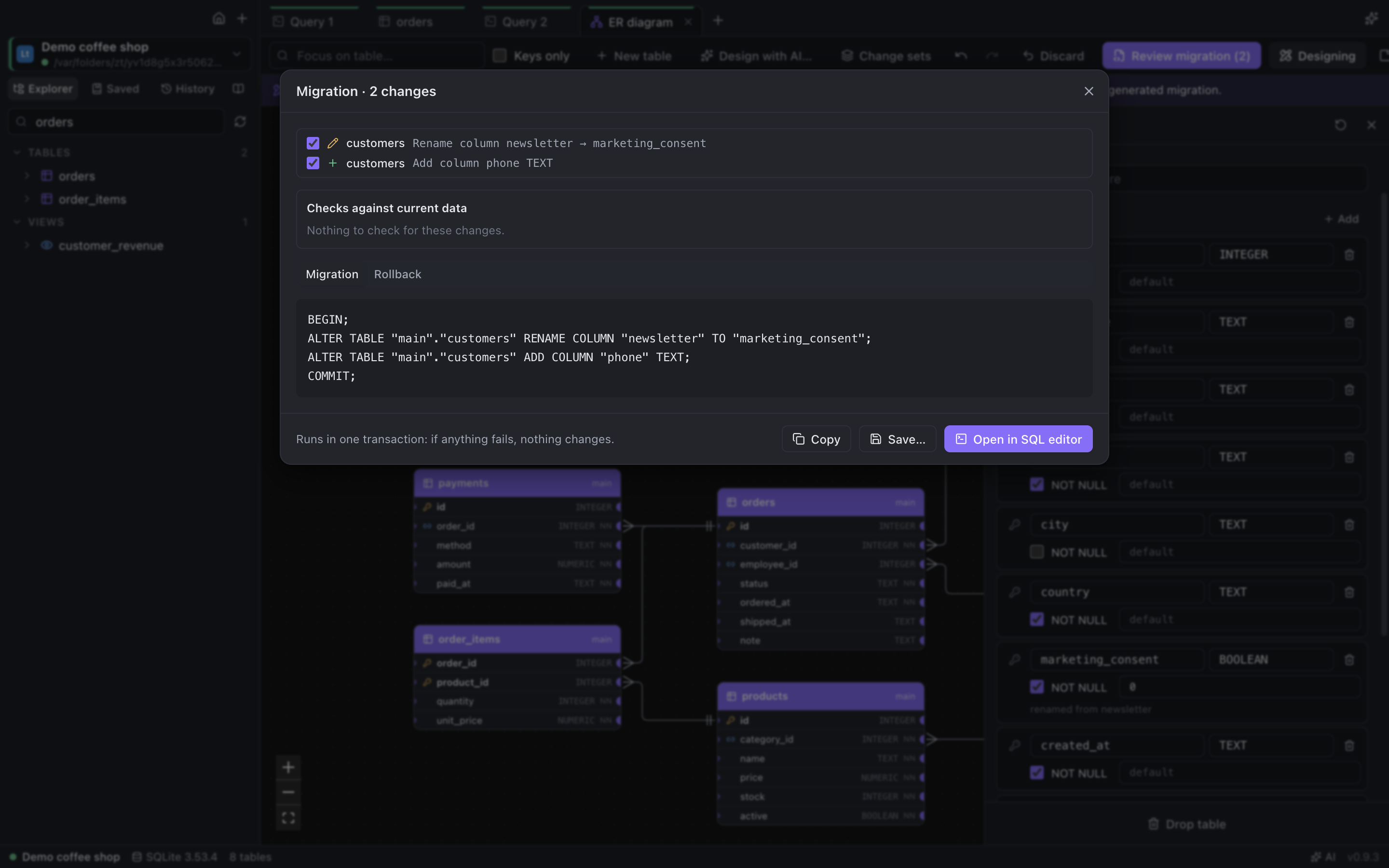
Edit tables, columns, keys and indexes right on the diagram. DB Mastermind writes the migration for your database, checks the existing data first and gives you the rollback script.
Keep the model as a DBML file next to your notes, see the diagram as you type, and compare it with the database to get the migration.
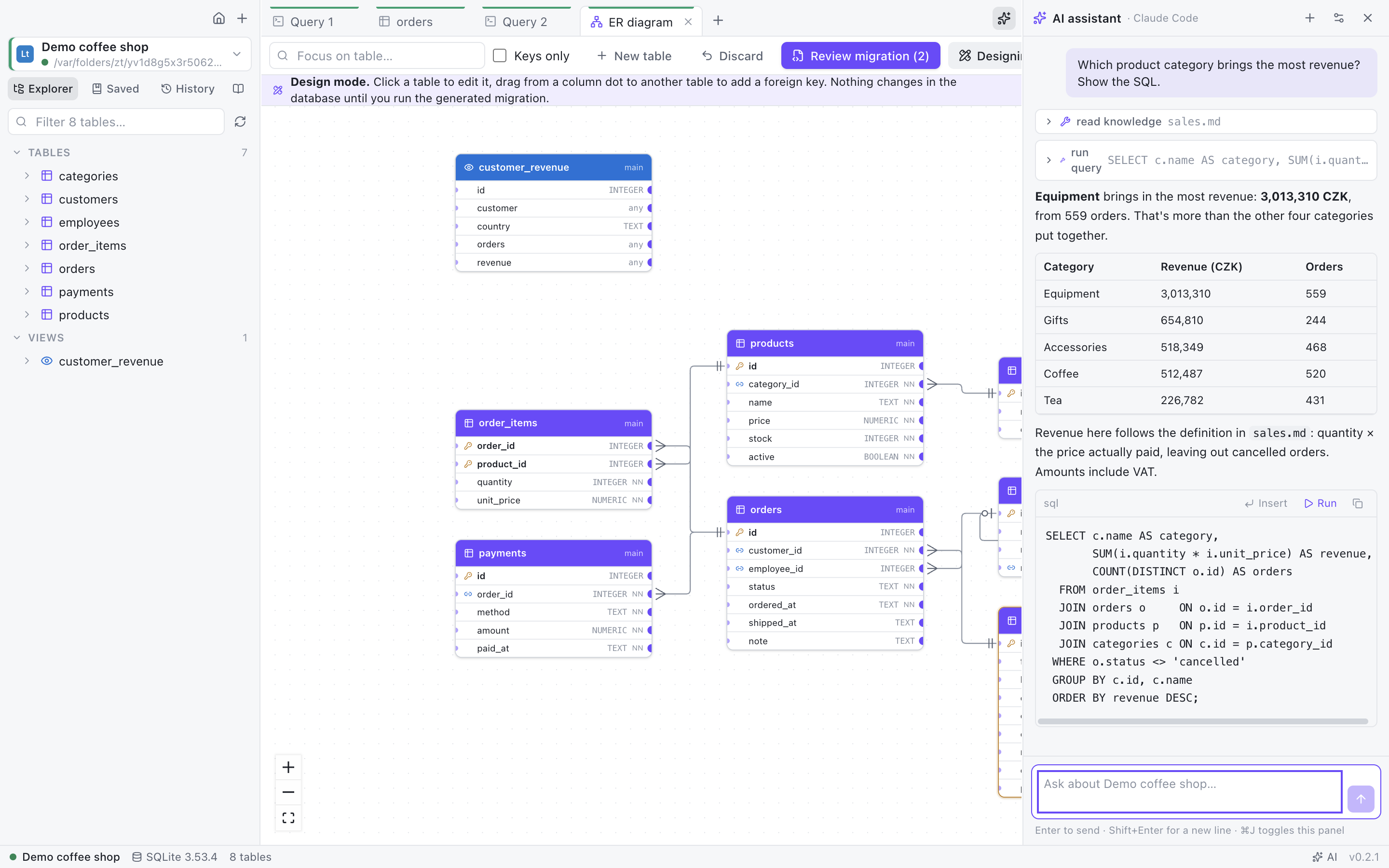
Use your own API key (Anthropic, OpenAI, OpenRouter, Gemini, Azure, local Ollama) or your existing Claude Code / Codex subscription.
The assistant explores the schema, samples data, runs read-only queries and asks before any change. Press Ctrl/⌘ I in the editor to describe a query; failed statements get a Fix with AI button.
A per-database knowledge base of Markdown notes teaches it what your codes and statuses mean — and AI can write the first version for you.
DB Mastermind is also an MCP server: agents get schema exploration, read-only queries, join paths and your knowledge base, using the connections you already have.
claude mcp add dbmastermind -- "/Applications/DB Mastermind.app/Contents/MacOS/DB Mastermind" --mcp
Or just click Add to Claude Code / Claude Desktop / Codex / Cursor / VS Code in Settings → MCP server.
Free code signing provided by SignPath.io, certificate by SignPath Foundation.
The portable zip changes nothing on your system: delete the folder to remove it (your data is in the data folder next to the app). The installers add a Start menu / Applications entry and remove it again through Apps & features on Windows, by moving the app to the Trash on macOS, with scoop uninstall db-mastermind or brew uninstall --cask db-mastermind, and on Linux by deleting the AppImage or removing the .deb package. Your settings and connections stay in your user data folder (Settings → About → Data folder) until you delete it.
This program will not transfer any information to other networked systems unless specifically requested by the user or the person installing or operating it.
No telemetry, no analytics, no crash reports, no account. In detail:
disableUpdateCheck policy.This website is hosted on GitHub Pages; the download button asks GitHub which file is the latest.